Website Auditing Checklist: The Definite Guide (Pro Tips)
- August 12, 2020
- Website Auditing

Do you know the significance of a Website SEO Audit? When it comes to running a business, digital marketers consider a website the heart of the operations. And SEO auditing can help you keep your heart updated and flawless to grow your business dramatically.
A website auditing checklist, for example, focuses on addressing technical flaws, improving search engine rankings, and driving more traffic. And ensuring that your website meets all the criteria on this checklist can allow you to expand your business to the next level and generate more revenue.
Even though performing an SEO audit is time-consuming and complicated, having definite step-by-step guidance can be immensely helpful. So, without further ado, let us demonstrate how an expert should be doing it.
What Is a Website SEO Audit?
A website SEO Audit is a comprehensive analysis of the current status of your website. The analysis report will give you an overview of the components you need to improve your content to rank higher.
Your audit report should be easy to understand so that you can change the factors recommended by the SEO audit. Without optimizing the issues, it is impossible to outrank your competitors.
We have compiled a complete guide with the basic steps of the Website SEO Auditing Checklist for you. You will also find the explanation of each step and how they can be helpful to make your site reach more audience.

Is SEO Auditing Essential for your Business Website?
Without any doubt, the answer is Yes. It is undeniable that the key to selling more products or services is marketing and reaching more people. And if you tick all the boxes of an SEO Auditing Checklist for your website, it is proven that you will be able to approach more people, sell more, and earn more revenue.
Let's see how your business can grow after a website audit.
1. Organic Search Traffic:
You will know how much organic search traffic you are getting and what issues you need to fix to have more.
2. User Experience:
Ensure that your website is practical and informative and the user experience (UX) is up to the notch.
3. Credibility:
Check if your contents are trustworthy to your audiences.
4. Understand what's Trendy:
Analyze the consumer's demand and latest trends so that you can upgrade your website according to their demand and compete with high-ranked websites.
5. Be Fast:
It helps you ensure that your contents are easily accessible, quick to find, and just a few clicks away from the home page.
6. Consumer's Voice:
You need to increase traffic, conversions, and engagement with your customer for better business. SEO Audit tells you where you are lacking to improve in these sectors.
7. Increased Buying Cycle:
You will have a positive impact on your buying cycle.
8. Remove flaws:
Constant updates and improvement removes lackings in your website
9. Make Google Happy:
Keeping pace with the continually changing algorithm of Google becomes relatively easy with SEO auditing
10. Worth your Money:
Investing in SEO will help you gain more revenue eventually.
11. Take New and Unique Approaches:
SEO sheds light on new opportunities and provides your website with a breathing space to improve
12. Be at Page 1:
Being on the first page should be your top priority to boost your business. SEO auditing gives you the strategy to follow to achieve that goal.
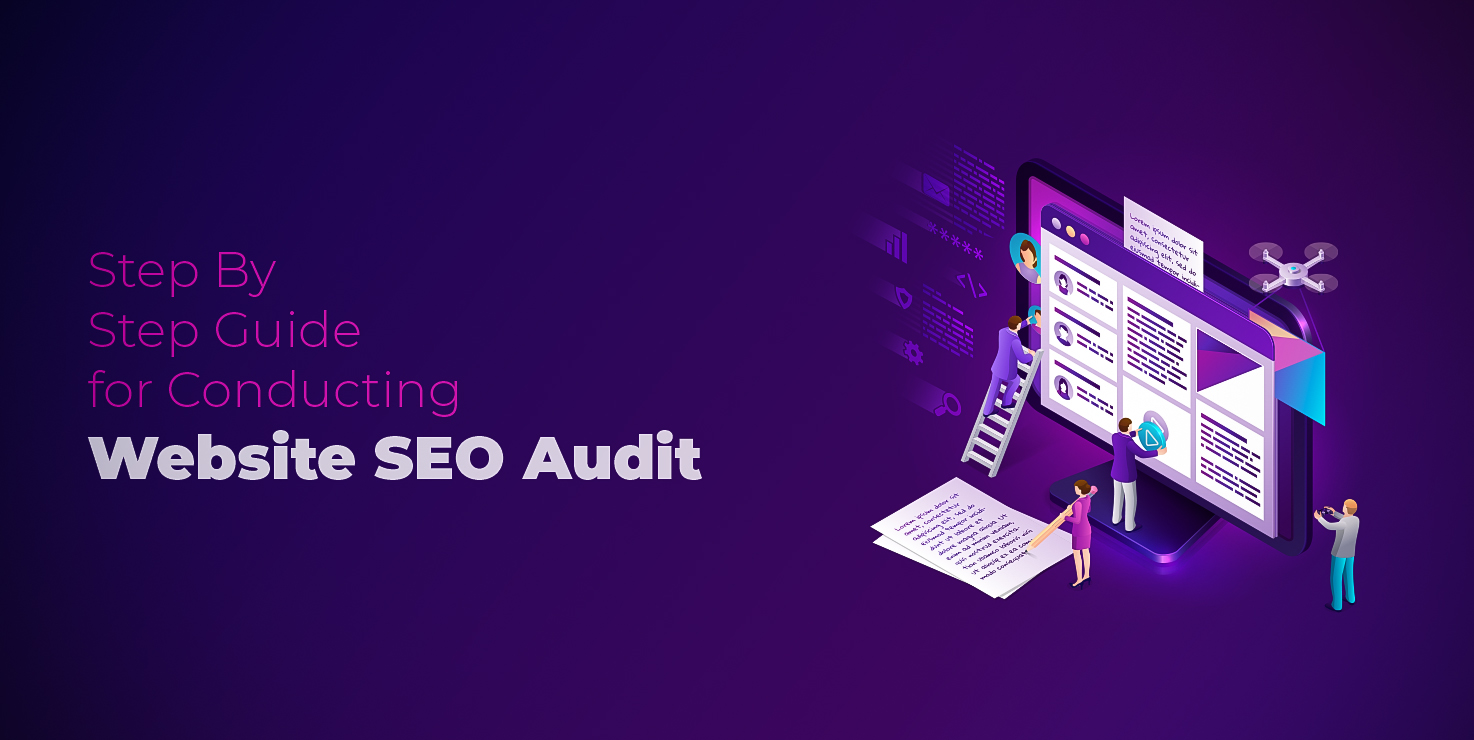
How to Perform an SEO Audit?
Website SEO Auditing is a complex and extensive operation. Since auditing is a lengthy process, breaking it down into several smaller portions is a valid technique to make it much easier to accomplish.
Let's start with the Technical SEO Auditing Checklist.
Step 01: Technical SEO Audit
Changing the algorithm of Google made it difficult to rank for a long time with the same structure of an article. So, it would be best if you had quality and relevancy in your content on every page of your website that you want to rank.
In this step, we will discuss issues your website may be facing with poor mobile performance, new keywords, the efficiency of the content, increasing site traffic performance, and how to update them.
i. Track Site's Performance
You should monitor the performance of your website first before beginning the audit. You will have a good overview of where you need to improve this outcome.
How to:
Experts in this field use Google Analytics, which uses tracking codes. Thanks to these codes, you can now see visitor statistics, page stay time, and various other performance indicators.
Also, Google Analytics gives you quick access to see your page number on a website, their overall performance, and location -as in a complete catalog for you, making your next audit faster.
ii. Access to Google's Crawlers
Checking for the crawl-ability of your website should be the first step of your website SEO audit because your site won't receive any search engine traffic if Google cannot crawl and index your website.
For example, pages that contain robot.txt files can block Google crawlers to your site and index it.
How to:
To track down the pages, you can seek help from Google Analytics. While tracking such pages, use Google Analytics, and it will help you find such pages so that you can fix them.
iii. Revisit keywords
Since you fixed all the problems regarding your website, you should step up and revisit the contents included in your site.
The first step is to revisit the keywords. In this step, you will find out the keywords your site was ranking. After that, search out-trend keywords that are not helping your content to appear in the search.
In the last few years, long-tail keywords have been more effective for a page to come up in the shortest time than short two words keywords.
For example, Best Leather Backpack of 2022 will help you rank more than using only Backpack or Leather Backpack.
Fortunately, there are tools to help you with tracking your keywords. To optimize the keywords of your content, you can use these free tools or seek help from an SEO Auditing service provider.
How to:
To perform the keyword optimization, SEMrush, Moz, and Ahrefs to track the keyword ranking. Using SEMrush is a popular way to track down the keywords for which you can track your order in the SERPs.
iv. Search for Branded Keywords:
Another strategy you need to adopt for your content is looking for branded keywords. Branded keywords are those phrases that represent your product and services by your brand name.
In this step of auditing, you need to search for your company brand name and see if Google can find and index your page or not.
If you can find all the pages intact and your website well organized to perform. However, you may need to take some crucial steps when some of your pages are missing.
The reason behind your missing pages is a penalty from Google.
How to:
Use the "site: [name of your site]' command. This will reveal the pages Google has indexed. Now, search with the keywords that contain your brand name. If all the pages of your site surface in the search, that's good news for you. Otherwise, seek help from Google Analytics.
v. Check index status report
After you have confirmed the brand keyword isn't causing any problems, you should look for an indexing status report for your content.
This step is essential because when a search appears on Google, it crawls your site, read and search for relevancy, and index the page to the searcher.
Your pages will not appear in the search result when Google blocks your site without you knowing. In SEO auditing, an index status report is the second most crucial factor for you to check after keyword optimization.
How to:
Google Search Console may help you get the index status in this step. Google Console will inform you how many pages of your domain are indexed by Google.
Another way is to add robot.txt at the tail of your website to find out the skipped pages. Your URL should look like this- https://www.websitename.com/robots.txt.
You will find which pages are under the no-indexing command from the search. Take necessary steps to fix the problems and ensure that Goggle is indexing all the pages.
vi. Optimize Page Speed:
Do you know how long users stay on a page? According to Nielsen Norman, the time is around 10- 12 seconds. Therefore, for the fastest generation of humankind, you need to prove that your site is also speedy enough to provide them with the solution they are searching for.
Moreover, our primary goal- the ranking factor on Google, also depends on the loading speed of your site.
You need to analyze from the home page to the end of your site, including all the blogs, services, and category lists.
So, you can understand how crucial it is to optimize the speed of your site. Now, follow the steps below to speed up your page.
How to:
- Your site's HTML code should be junk free and clean. To clean up your website, you may use PageSpeed insight. This tool will help you if your site or pages are suffering from any issues with codes.
- To know where your site is running slow, you need to run a speed test. Experts in this field use WebPageTest.org and GTMetrix to determine their site's speed, the bottlenecks that need to improve, and how much speed you want in your site.
- Finally, to obtain the fastest speed, compress the images you have used in the pages. Large images are another reason that slows you down. You may use Kraken to optimize and accelerate your pages and the overall site.
- If possible, invest in premium hosting to upgrade your speed. Even though it will cost you more money, you will earn more revenue consequently. Because you will have satisfied visitors on your site who will return to your site for a better user experience.
vii. Check Your Pages Health:
Have you ever experienced a 404 error on a webpage? Probably, yes. This error happens when the Google Crawler cannot find the correct page to redirect to you.
Or changing the location of a website without redirecting it can also be another reason for this error.
If you do not want the error on your page, the only way is to check your page's health.
How To:
By using Google Webmaster Tools, checking for such errors became relatively easy. However, if your page is already showing errors, you must transfer all authority from the old to the new page using 301 redirecting.
viii. Check for Site Security
Have you ever come across the warning Google gives you that this site is not secure? If yes, you can understand that it can cause a significant pullback for the visitors from entering your site.
Simply put, your site will not rank when it is not secured.
During SEO auditing, you will modify your site to convince Google and your audience that your site is secure enough.
How to:
Before entering Not Secured sites, the red warning appears when your website does not have the SSL certificate before entering Not Secured sites. It is a Google requirement even for a small website. And Google will only index your site when you have the HTTPS added to your URL.
ix. Improve Your Site's Performance:
We are almost at the end of the first step of auditing SEO for your website. Hang in there because we still have a little more work to optimize your site for the best performance.
The two most disturbing facts visitors face when searching for a product or information are website errors and broken backlinks.
If you wish to provide your visitors with the best experience browsing your site, you need to solve these two issues.
How to:
Since you have optimized your website, pages, and contents for search engines, all you need to do now is to check whether you have done everything correctly or not.
Screaming Frog is a helpful tool for finding and fixing website errors. This tool will assist you in finding the unindexed or deleted pages that Google cannot crawl.
It is a step that you can crawl your website successfully before Google does. Make sure that none of your pages show 'Error 404'.
Your next target is looking for broken links. Using the Index Report in Google Search Console is a good way.
Or you can use SEMrush, and Broken Link Check to remove internal and external broken links.
Redirect the page link to the current one if you have deleted any page. So, you will find broken links, remove them, and replace them with the current version of the page.
x. Obtain More Organic Traffic
One of the best ways to obtain organic traffic is to do what Google says and give it what it wants. Goggle says that your content needs to be more informative rather than a large chunk of words and paragraphs.
So, after optimizing your entire content, find out the pages that are unnecessary and not relevant to the search intent.
How to:
Delete the pages containing archives, old press releases, tags, and category pages or thin contents with less than 50 words.

Step 02: On-Page SEO Auditing Checklist:
We have already talked about how to make your content SEO friendly. This step will go over the fundamentals of on-page and on-site SEO.
In 2022, traditional keyword density optimization will no longer be effective. It would be best if you had upgraded strategies to master the on-page SEO game. So, while reviewing the website auditing checklist, keep the following aspects in mind:
- In the past few years, studies conducted by SEO experts have shown that using short URLs helps you rank better.
- Include the target keyword in the URL.
- Include the target keyword in the Title Tag, Meta description and Heading.
- Use LSI keywords that appear at the end of all the search results. LSI keywords help Google to understand the topic of your content.
- Try writing longer content. It works better as more LSI keyword is naturally included in lengthier content, increasing Goggle's readability. As a result, it puts your content on top, thinking it has comprehensive answers to the question.
- Use 2 to 5 external links from authoritative websites. External Links are more helpful in outranking the pages that don't have any connections. Google thinks your content is more informative and has related info about the topic.
- Naturally, include 2-5 internal links on pages you want to rank higher.
- Indexing your most essential contents is a wise decision to avoid duplication.
Now it's time to know how to optimize different parts of content:
i. Start with Title Tag:
Like your URL, you will write a short but effective title. The title should not contain more than 60 to 70 characters. Optimize your title tag to improve the click-through rate.
You can include numbers in your title as numbers grab the readers' attention. You may also add brackets to specify what topic you are focusing on.
Tools:
You may use WordPress or a search engine title tool by DVANA.
ii. Don't Forget Meta Description:
The best way to convince your reader that your content has the information he is searching for is by writing a compelling meta description. But make sure it only directly indicates what you have in your content.
And try not to stuff keywords in your meta.
iii. Organize the Content:
Large chunks of paragraphs turn off readers from reading further in the article. Use headings, subheadings and bullet points to organize your content.
It will also help the readers to navigate your article quickly.
iv. Make your Content Engaging:
Do you know the best tip to keep the readers on your site? It's simple: add screenshots, images, video links, and vlogs related to the topic. And optimizing images also helps Google to index your visual media as well.
Tools: Use Moz Pro to improve Alt Text in your content for better accessibility and image SEO.
Step 03: Off-Page SEO Audit:
It would help if you took several actions outside your page to rank in the SERPs (Search Engine Result Pages). We will refer to these actions as the off-page SEO Audit.
Off-page SEO ranking is significantly essential as the search algorithms and ranking factors evolve continually. Your page will not rank if you do not include relevant and trustworthy outbound links to your readers.
The off-page SEO Audit will focus on ranking factors, including backlinks and non-link-related factors.
According to Moz, you can use backlinks obtained in different ways. They are Natural and manual link building.
Natural links are those that are generated by the editorial process. You do not need to ask permission or contact the page owner to use the links.
However, when you build a link manually, you may need to do extra tasks. To include such a link, you need to contact the customer, influencers, or famous bloggers to link your page in their contents.
During SEO auditing, you need to ensure the following factors as well:
- Choose a popular site with a bunch of organic traffic
- The site is relative to the topic of your content
- The site has anchor texts
- The linking site is trustworthy and authoritative
- The site also includes an outbound link from other sites.
Now it's time to talk about factors that are not dependent upon the linking factors. The non-link aspects that influence the off-pages are given below:
- Engage in more social media marketing to promote your page
- Write guest posts and include guest blogs on your site as well
- Focus on brand name mentions
- Contact more influencers to get more support from their visitors
- Remove toxic links that are downranking your site
Many pages on the internet became famous after their visitors mentioned their brand name to their friends and relatives. On-page or on-site SEO is essential, but you cannot forget about your audience, as the prime aim of your site is to serve them.
So, try to make both Google and your audiences happy so that they receive every necessary tip regarding a topic on your site alone.
Step 04: Competitive Analysis
When it comes to producing content for your website or providing a service, you are almost not alone in the digital marketing industry. There are already other sites and businesses that ensured that position at the top of the SERPs.
Now the question is- how to outrank the top rankers?
The fourth step is to study your competitors' sites to understand why other sites are ranking higher than you. Finally, you can optimize your site based on the shortcomings in the audit report.
ü Determine Your SEO Rivals
You may use a tool or manually check on Google to identify your SEO competitors. And look for your competitors in the featured snippet area and top 3 search results.
ü Assess your Keyword Difficulty
Selecting your target keyword is easy, but you need to know about the keyword difficulty. It will not go in your favor if you pick the hard keyword to beat your competitor as a beginner.
The best approach is first to select the lower-difficulty keywords for your content. And go for the more challenging keywords after your ranking goes up.
You will lose an overall score if you target the more complex keywords as beginners and cannot produce quality content to compete with your rival sites.
ü Analyze their Searcher Intent
When it becomes difficult for you to rank, one of the main reasons behind this can be you are producing irrelevant content. So, your competitors are the best teacher for you at that moment.
Analyzing how your competitor is justifying the keywords and writing keeping the searcher's intent in mind is the factor your need to master.
ü Communication is the key
Another crucial factor you should observe on your competitors' sites is their engagement with their audience. You should monitor the social media platforms they are using, their communication strategy, user's attitude and reactions, and the duration between new content updates.
ü Track your competitors' investment in advertising
It is not guaranteed that you will rank on the first page of SERPs after fixing all the issues of your SEO audit report. Your competitor sites may still outrank you with Ads or paid promotions.
If you face such a situation, you have to monitor how much they spend on ads, Google Ads campaigns, paid blogs, and promoted content.

Pro-Tip #1: Ensure Mobile-First Web Design
You must ensure that your site is mobile-friendly when you do not want to lose 60% of customers who conduct searches on their phones. Furthermore, Google has been using the Mobile-First Algorithm since 2018.
As a result, Google will search for a mobile version of a site whenever a search surfaces. And your site will be one of the pages Google will show if you maintain best practices for mobile-first indexing.
How To:
While developing the website, focus on a mobile-first web design. Mobile-first design helps your site adapt and organize its contents regardless of the searcher's device.
Whereas, if you already have a website, use Google's Mobile-Friendly Testing Tool to see if it fits the standards.
Google will notify you of what issues you need to fix to provide your audience with a positive experience while browsing your site.
Pro-Tip#2: Rank with Internal Links
Do you know you optimize SEO by including more internal links to another page from your server? If you have already added the links, recheck them to ensure they are not redirecting to a broken page.
How to:
It would help if you used Google Webmaster Tools or SEMrush to obtain more information about the internal links you can add to help you rank higher as you are allowing your visitors with relevant links.
Furthermore, you have to optimize the backlinks as well. We will explain that in the third step.
Pro-Tip #3: Optimize for Google Voice Search
At this point of the website auditing checklist, we will explain how to stand out amid the millions of competitors.
If you haven't noticed, the voice search feature has been popular since its launch. People prefer to use the voice search tool because they want their solution quickly.
When your content is optimized for voice search, it will appear at the zero position or the top of the search results. This area of a search result page is called a featured snippet.
How to:
To optimize your content for Google Voice Search, you will need to make the following changes.
- Simple sentences that are easily readable
- Short sentences
- Answer the query directly
- Provide relevant, direct, and on the topic information
Overall, if your content gives a straightforward answer to a voice search query, it is more likely to appear as the featured snippet.

Conclusion:
Redesigning your website is the best thing you can do to rank higher. And to do that, you need a definite guideline which you can obtain from a thorough Website Auditing.
The significance of monitoring your website performance, developing a strategy to fix the problems, and optimizing your site for both on-page and off-page- should be your approach to reach your ranking goal.
Check out all the possibilities of doing better and if you find the auditing confusing and complicated, hire an SEO expert. You can focus on creating content, and your auditing team will help you optimize it to reach your target audience.
FAQ:
What is a Website Audit?
A website auditing refers to a report that represents the assessment of your website's performance after analyzing it properly. Auditing your site provides you with a complete guideline to resolve the errors preventing your site from ranking higher in the SERPS.
What is a Website Auditing Checklist?
When you follow a customized checklist to analyze your website's overall performance, that list is referend to as a website auditing checklist. The fundamental focus of a website auditing checklist is in-site, off-site SEO optimization, Technical SEO optimization, and competitor analysis.
What Should Be Included in a Website Audit?
A website Audit should provide you with a complete guide on the on-page, off-page SEO, technical issues, and competitor analysis. You can follow our guide above or hire an expert, for example, SEOViser.
What Is a Website Auditing Report?
An analytical report containing all the information you need to improve your website to rank in the search engine is a website auditing report. You cannot optimize your website unless you have proper guidelines. Your Auditing report helps you with that.
How Long Do you need to complete an SEO Audit?
The time you need to complete an SEO Audit will depend on the number of pages on your site, the problems you need to fix, and many other related factors. Usually, the SEO Audit report may take two to four weeks to generate, depending on the elements.
How do you carry out a website SEO Audit?
You can follow the step-by-step guide we have composed for your convenience. However, if you want to rank in no time, you can search for skilled SEO service providers—for example, SEOViser.
What are the Best Tools for SEO Audit Your Website?
The most used tools to SEO audit a website are Moz, Ahrefs, UBERSUGGEST, SEMrush, and tools provided by Google. But the best way to audit your website is to perform it manually. For example, SEOViser gives you an audit report by performing it manually with the help of premium tools.
How to Check My Website SEO Ranking?
Both paid and free tools are available on the internet to check your website's SEO ranking. Using Google Search Console is better because it is an authentic site to check for your ranking.
Or you can manually enter the keyword you are targeting to find out the rank of your page.
Is a Website Audit Costly?
Whether you want an in-depth report of your site or a comprehensive audit report will decide how much you need to spend on your website audit. Usually, the former will cost you more than the latter because of the effort and time required.
It may cost you 1000 to 6000 dollars.
Why SEOViser Website SEO Audit Service is the best?
SEOViser has been providing satisfactory service to its customer for the past few years. With the detailed report, analysis, and recommendations, you can have an in-depth analysis of your website and how to optimize the flaws.
Ruth Carol is a professional SEO expert providing services concerning to search engine optimization process. She has 10 years long experience with vast knowledge in the field of modern search engine optimization process and is continuing. Her educational background, along with her working experience in this field, enables her to gain ample knowledge in this subject area. She was an active volunteer in google serve program and a regular blog writer subjecting SEO optimization process and special tips. Follow her blogs on seoviser. Besides, she is an active member of the Chang Mei International SEO Conference. Furthermore, she is the founder of SEO Viser, which is an SEO agency providing SEO solutions all over the world. She aims to help companies ranging from small to big to develop a long-lasting solution to rank their site. Apart from that, she provides consultancy services related to search engine optimization and contributing to social media and online platforms like Fiverr, Upwork, etc. To know more about her services and anyone can visit seoviser or simply email her through her website. She is a great mind and loves to share knowledge. Contact her at seoviser.
OUR SERVICES


Request a free quote
We offer professional SEO services that help websites increase their organic search score drastically in order to compete for the highest rankings even when it comes to highly competitive keywords.
More from our blog
See all posts