URL Structure Best Practices: Slug Length, Hyphens, Folders, and Parameters
- October 19, 2026
- SEO
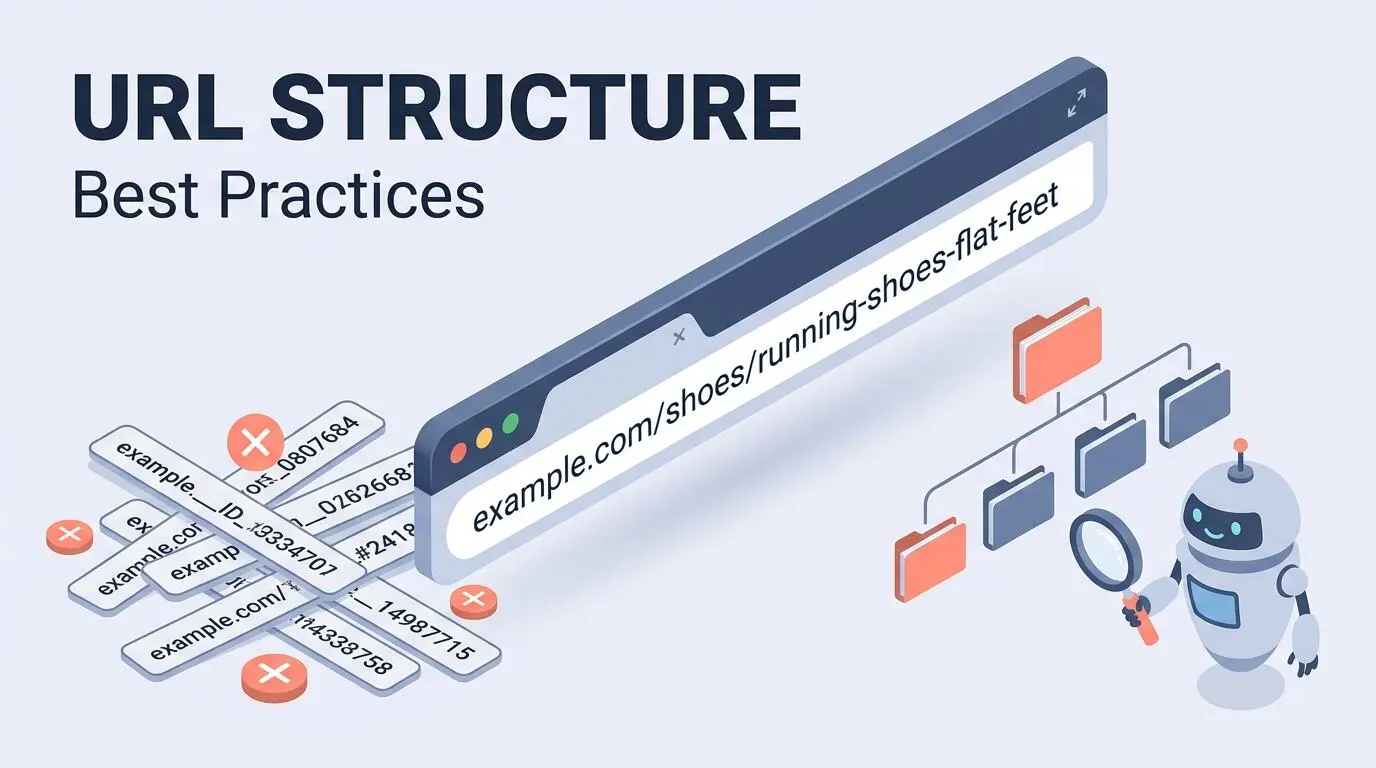
URL structure best practices matter less for rankings than most SEOs assume, but they matter a lot for crawling, duplicate content, and site migrations. Google treats a well-built URL as a very light ranking signal on its own.
A messy URL structure still causes real damage, and it’s one of the first things a technical SEO audit checklist is built to catch. Pages get crawled inefficiently, duplicate versions split your ranking signals, and migrations turn into redirect nightmares that take months to clean up.
This blog pulls its rules directly from Google Search Central’s own documentation and public statements from Google’s search advocates, not from generic listicles that recycle the same five tips. They’re the same rules we apply on client migrations as a full-service SEO agency.
Here's exactly what this blog covers. You'll get the anatomy of a URL, a clear verdict on how much URLs actually affect rankings, rules for slugs, hyphens, folders, and parameters, and a simple framework for deciding whether to change a URL that's already live.
The Quick Answer: URL Rules That Actually Matter
These seven rules cover almost every URL decision you'll face, whether you're building a new page or planning a migration. Keep this list open while you work, and the rest of this blog fills in the reasoning behind each one.
- One canonical URL. Every page should have a single, lowercase, canonical web address, with every other version of that URL redirecting or canonicalizing to it.
- Hyphens only. Separate words with hyphens, never underscores or words joined together with no separator.
- Readable words. Use real words in your audience's own language instead of ID numbers or internal codes.
- Folders that mirror your site. Build folders around real, stable sections of your site, not short-lived campaigns or filters.
- Parameters only when they change content. Use key-value pairs joined with an ampersand, and drop any parameter that doesn't change what the visitor actually sees.
- No fragments for loading content. Never use a hash fragment to load different content on what looks like the same URL, since Google generally does not index it.
- Change URLs only for a real reason. If you do change a live URL, set up a 301 redirect from the old address and keep it live for at least a year.
Anatomy of a URL: What Each Part Does
A URL is built from several distinct pieces, and each one does a different job for browsers, search engines, and AI crawlers. Here's one example broken into its parts, followed by a quick-reference table.
Example: https://blog.example.com/shoes/running-shoes-for-flat-feet?color=blue&sort=price#reviews
| Part | Example | What It Does |
| Protocol | https:// | Encrypts the connection between browser and server, and is a confirmed Google ranking signal |
| Subdomain | blog | Separates a distinct section, like a blog or help center, from the main site |
| Domain | example.com | Your brand's root address |
| Path | /shoes/running-shoes-for-flat-feet | Everything after the domain, showing search engines and visitors where the page lives |
| Folder | /shoes/ | A stable category or section the page belongs to |
| Slug | running-shoes-for-flat-feet | The specific page identifier, built from readable, hyphenated words |
| Query string | ?color=blue&sort=price | Optional parameters that filter or modify the content |
| Fragment | #reviews | A jump link to one part of the same page, not a separate, crawlable URL |
Google Search supports URLs as defined by IETF STD 66, the technical standard behind every web address.
Any character that standard marks as reserved, like a space or an ampersand used outside a parameter, must be percent-encoded before it appears in a link; for example, a space becomes %20. Google's own URL structure documentation covers this requirement alongside its other crawlability rules.
How Much Do URLs Actually Affect SEO? Myth vs Fact
URL structure is one of the most argued-about topics in SEO, and most of the argument comes from outdated advice. Here's what actually holds up against Google's documentation and public statements from its own search team.
"Keywords in your URL are a major ranking factor." This isn't accurate anymore. Google's ecommerce documentation recommends descriptive words in URLs mainly so Google and shoppers can understand the page at a glance, not because keyword placement in the URL itself carries strong ranking weight.
"Short URLs always rank better than long ones." This mixes up correlation with causation. Short URLs often belong to older, more established pages that already rank well for other reasons, not because the length itself is doing the work.
"Changing your URL structure is a quick SEO win." This is usually false and can easily backfire.
According to JumpFly's own reporting on a LinkedIn post from Google Search Advocate John Mueller, which this blog has not independently verified, Mueller has said SEOs often over-focus on URL structure, since changing a URL rarely fixes a page whose content and relevance aren't already clear.
"Folder depth hurts rankings." This isn't quite right either. What affects crawling and rankings more is click depth, meaning how many clicks it takes to reach a page from your homepage, not how many folders happen to sit in the URL path itself.
Slug Best Practices
A slug is the last, most specific part of a URL path, and it carries more practical weight than any other single piece of the address. These URL slug best practices apply whether you're publishing a blog post, a service page, or a product listing.
How Long Should a URL Slug Be?
There's no official character limit for slugs, and most questions about URL length SEO come down to readability rather than a hard rule. Aim for three to five words that describe the page, and avoid repeating your full page title word for word in the slug.
Suppose your post title is "The Complete Guide to Running Shoes for People With Flat Feet in 2026." A slug like /running-shoes-flat-feet/ communicates the same topic in a fraction of the length, and it's far easier to read in a search result or share in a text message.
Should the Keyword Be in the Slug?
Including your focus keyword in the slug is still worth doing, mainly for clarity and click-through rate rather than for a direct ranking boost. Keep it natural, use the keyword once, and resist the urge to cram in every variation you're targeting.
Stop Words: Remove or Keep?
Stop words are small connector words like "a," "the," "and," and "of" that search engines largely ignore when reading a URL. Removing them usually shortens the slug without losing any meaning, but keep one in if dropping it would change what the phrase actually says.
Dates, Years, and Numbers
Avoid baking a specific year or date into an evergreen slug, because that forces a URL change every time you refresh the content. Save numbers and dates for content that's genuinely tied to a point in time, like an annual report or a one-off event page.
Lowercase and Case Sensitivity
URLs are case sensitive to most servers and to Google, so /About and /about can register as two completely different pages. Keep every slug in lowercase from the moment you publish it, and if your server already treats both cases the same, redirect the uppercase version to the lowercase one to avoid confusing crawlers.
Non-English Slugs and Special Characters
If your audience searches in a language other than English, write the slug in that language rather than translating it into English or an English transliteration. Google explicitly supports this, and percent encoding handles how non-ASCII characters appear in the address bar.
File Extensions (.html, .php)
Visible file extensions like .html or .php don't help rankings and only add clutter to the URL. Most modern content management systems let you strip these out by default, so leave them off new pages and avoid reintroducing them during a redesign.
Hyphens vs. Underscores in URLs (and Other Separators)
Google has stated directly that hyphens, not underscores, are the correct way to separate words in a URL. The reasoning comes down to how search engines read word boundaries once a page goes live.
| Separator | Example | How Google Reads It |
| Hyphen | running-shoes | Two separate words, running and shoes |
| Underscore | running_shoes | Can be read as one joined word, runningshoes |
| No separator | runningshoes | One unbroken word, with no clear word boundary |
Programming languages commonly use underscores to join words into a single variable name, such as format_date, and that's part of why Google recommends against the same pattern in a public-facing URL.
Folders and Subdirectories
Subfolders in URLs give Google and your visitors a reliable map of your site hierarchy, provided those folders stay consistent over time. Here's how to use them well without overcomplicating a structure that should stay simple.
Do Folders Help SEO?
Folders help SEO indirectly, by making your site structure clear to search engines and easier for you to manage, not by adding ranking weight on their own. A logical folder structure also makes internal linking and future content audits far less painful.
How Many Folders Deep Is Too Deep?
There's no official limit on folder depth, but each extra layer usually adds one more click between the homepage and the page itself. Keep most content reachable within two to three folders of your homepage, since click depth affects crawling more than the raw folder count in the URL.
Should Categories Appear in Post and Product URLs?
This depends on how stable your categories actually are. A blog with permanent sections, like /guides/ or /case-studies/, can safely use that folder in every post URL, since the category almost never changes.
An ecommerce catalog that gets reorganized often is a different case. If a product could reasonably move to a new category later, skip the category folder and keep the URL focused on the product slug itself, since every reorganization would otherwise force a fresh round of redirects.
Parent Folders Should Resolve
Every folder in a URL path should load a real, working page instead of a 404 error. If a specific page like /shoes/running-shoes/ gets removed but a link still points to the parent folder /shoes/, that folder needs to resolve to a working category page, not a dead end.
URL Parameters: When They're Fine and When They Cause Problems
Parameters get blamed for a lot of SEO problems, but the parameters themselves usually aren't the real issue. Most URL parameters SEO questions come down to one thing, how many of them get combined and crawled at once.
Content Parameters vs Tracking Parameters
Content parameters change what the visitor actually sees, like a color or size filter on a product listing. Tracking parameters, like a referral code or session ID, change nothing about the content and should stay out of internal links wherever possible.
Google's Encoding Rules
Google's documentation is specific here. Use an equal sign to separate a key from its value and an ampersand to add more parameters, such as ?category=dresses&sort=price, and avoid unusual separators like colons or brackets.
| Format | Example |
| Recommended | ?category=dresses&color=purple,pink&sort=low-to-high |
| Not recommended | ?[category:dresses][sort:price] |
Session IDs and Tracking Parameters
A session ID embedded in a URL creates a fresh address every time someone visits, which can multiply your page count without adding any new content. Google's own guidance recommends avoiding session IDs in URLs entirely and using cookies instead.
Faceted Navigation and Crawl Explosion
Faceted navigation URLs are one of the biggest causes of URL-related crawl waste on ecommerce and real estate sites.
Filtering a single product list by size, color, and price at once can generate thousands of URL combinations from one category page, a pattern Google calls additive filtering, and it can burn through crawl budget on pages that are just slightly different views of the same list.
Blocking the worst of these combinations with a robots.txt file that search engines actually respect stops Googlebot from wasting time on redundant filter URLs that add no real value to your index.
Pagination
Every page in a paginated series needs its own unique, indexable URL, such as /blog/page/2/, and the canonical rules across that series are covered in full in this guide to pagination SEO. Google's own ecommerce guidance notes that pagination mistakes are among the most common URL errors it sees on real websites.
Product Variants
When a product comes in multiple colors or sizes, Google's guide to designing ecommerce URL structures recommends giving each variant its own URL, either as a path segment like /t-shirt/green/ or as a parameter like /t-shirt?color=green.
If you use the parameter version, set the URL without the parameter as the canonical page, so Google can understand how the variants relate to one another.
Infinite URL Spaces
A dynamic calendar or search feature can generate an endless stream of URLs if nothing limits how far it goes, like future calendar dates with no end point. Add a nofollow attribute to links pointing at these open-ended pages, or block the pattern in robots.txt, so crawlers don't fall into that loop.
The Search Console URL Parameters Tool Is Gone
Search Console used to let you tell Google directly how to treat specific parameters, but that tool has since been retired. Today, the practical fix is cleaner internal linking, correct canonical tags, and robots.txt rules, rather than a dedicated parameter-handling setting.
Fragments (#) and JavaScript Routing
A fragment is the part of a URL after a hash symbol, and Google generally does not treat it as a separate, indexable page. This matters most for single-page apps and any site that uses JavaScript to swap content without changing the actual URL.
Two addresses that only differ after a hash sign, such as /product/shirt#black and /product/shirt#white, are treated as the same page by Google even when the visible content on screen is different.
If your site uses JavaScript to load different content on what looks like one page, use the History API to update the real, indexable URL instead of relying on a fragment to do that job.
Duplicate URL Versions to Consolidate
Most sites accidentally create several URLs that all load the same content, and each duplicate dilutes the ranking signals that should be going to a single page. Setting a canonical tag is the usual fix, but Google treats canonicals as a suggestion rather than a directive, so it’s worth knowing why Google ignores a canonical tag before you rely on one. Check your site for these common duplicate patterns before worrying about anything else in this blog.
- WWW and non-WWW versions. Pick one, redirect the other, and keep that choice consistent across your entire site.
- HTTP and HTTPS versions. Force every URL to HTTPS with a 301 redirect, since HTTPS is also a confirmed Google ranking signal.
- Trailing slash and no trailing slash. Trailing slash SEO issues come from treating /page/ and /page as two competing pages instead of one, so pick a format and enforce it with redirects and canonical tags.
- Uppercase and lowercase versions. Redirect any uppercase variant to its lowercase match, since Google can treat them as entirely separate URLs.
- Parameter and parameter-free versions of the same page. Set the clean, parameter-free URL as the canonical version whenever the parameter doesn't actually change the content.
Should You Change Existing URLs? A Decision Framework
Changing a live URL always carries some risk, even when the new version is technically better than the old one. Use this framework to decide whether a change is actually worth making.
| Situation | What To Do |
| Building a brand new site or page | Apply every best practice in this blog from day one, since there's no existing ranking history to put at risk |
| Migrating to a new platform or CMS | The URL change is often forced anyway, so use the migration as the moment to clean up the structure and set up complete 301 redirects |
| An existing page already ranks well | Leave the URL alone unless there's a specific, serious problem, since the upside of a cosmetic change is usually smaller than the risk |
| A URL has an outdated date, a broken folder, or a real duplicate content issue | Fix it, but 301 redirect the old URL for at least a year and watch rankings closely afterward |
If a change is genuinely necessary, start with a technical SEO audit to confirm which URLs are driving traffic before touching anything, then map every old URL to its new one with a dedicated 301 redirect rather than a blanket homepage redirect.
Platform Notes
URL defaults vary by platform, and a few platform-specific quirks are worth knowing before you finalize a structure.
- WordPress. The default permalink setting often includes /category/post-name/ or date-based folders in every URL. Switch to a plain /post-name/ or /topic/post-name/ structure in Settings before publishing content at scale, since changing permalinks later means redirecting every existing post on the site.
- Shopify. Shopify locks in /products/, /collections/, and /pages/ as fixed folder names that can't be removed, though the slug after each folder is still fully yours to optimize. For a full walkthrough of these folders, product variant URLs, and duplicate collection addresses, see this guide to Shopify URL structure.
- Single-page apps and JavaScript-heavy sites. These sites need a real, crawlable URL for every distinct view, built with the History API, rather than a router that only ever changes a fragment after the hash symbol.
Clean, descriptive URLs also make it easier for AI tools to find and cite your pages correctly.
Final Thoughts
Good URL structure won't make a mediocre page rank. It does remove the friction that stops Google from crawling, understanding, and consolidating your best content properly.
Fix the real problems first, like duplicate versions and faceted navigation sprawl, before chasing a slightly shorter slug. Treat this blog as a checklist for new pages and a diagnostic for existing ones, not a reason to rebuild a URL structure that's already working.
If you want someone to audit your existing URL structure and fix the parts costing you crawl budget and rankings, that’s the kind of technical cleanup we handle every day.
Most Common FAQs About URL Structure
Does URL structure affect SEO?
Yes, but only as a very light ranking signal on its own. Google has confirmed that readable, descriptive URLs help both it and users understand a page faster, though the bigger SEO risk from bad URL structure comes from crawling waste, duplicate content, and broken migrations rather than from lost rankings directly.
How long should a URL slug be?
There's no fixed character limit, but shorter slugs are easier to read, share, and remember. A good target is three to five descriptive words that capture the page's topic without repeating the entire page title.
Are hyphens or underscores better in URLs?
Hyphens are the clear choice. Google has stated directly that it reads hyphens as word separators, while underscores can get read as one joined word, which makes the page's topic harder to identify from the URL alone.
Do keywords in URLs help rankings?
They help a little, mainly through clarity and click-through rate rather than a strong direct ranking boost. Forcing in every keyword variation you're targeting looks spammy to readers and won't move rankings on its own.
Should I remove stop words from URLs?
Removing small words like "a," "the," and "of" usually shortens the slug without losing any meaning, so it's generally worth doing. Keep a stop word in only if removing it would actually change what the phrase means to someone reading it.
Are URL parameters bad for SEO?
Parameters themselves aren't the problem, and Google's own documentation recommends using them correctly rather than avoiding them altogether. The real risk comes from parameters that multiply endlessly, like faceted navigation filters, which can flood a crawler with near-duplicate URLs.
How many subfolders are too many?
There's no official limit, but each extra folder usually adds one more click between your homepage and the page in question. Aim to keep most content reachable within two to three folders deep, since click depth affects crawling more than the raw folder count.
Should I include the year in a URL?
Skip the year for evergreen content you plan to keep updating, since a dated URL forces a change every time you refresh it. Reserve years and dates for content that's genuinely tied to a specific point in time, like an annual report or a scheduled event page.
Does a trailing slash matter for SEO?
It matters for consistency more than for direct ranking. Pick either /page/ or /page as your standard, then redirect and canonicalize the other version so the two never compete for the same rankings.
Will changing a URL hurt rankings?
It can, at least temporarily, which is why Google recommends only changing a live URL for a real reason. A solid 301 redirect kept in place for at least a year protects most of the ranking signal, but some short-term fluctuation is normal after any URL change.
Do URLs matter for AI Overviews or AI Mode?
Clear, descriptive URLs help AI systems understand what a page covers, the same way they help traditional search crawlers, but the URL itself isn't what earns an AI citation. The content’s clarity and how directly it answers the question matter far more.
OUR SERVICES


Request a free quote
We offer professional SEO services that help websites increase their organic search score drastically in order to compete for the highest rankings even when it comes to highly competitive keywords.
More from our blog
See all posts