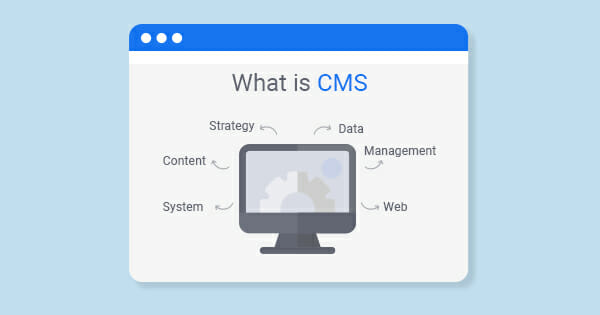
Planning to use CMS for promoting your business? But don’t have a proper knowledge about What is CMS and how to choose it for your Website? If so, you will be glad to know you are at the right place!
Right from creating quality website content to managing and editing – you can do all the things in a single dashboard using this system. Seems interesting, Right!
In fact, no matter how good your content is, if your CMS can’t showcase and manage it properly, then chances are high it will get the half impact it deserves.
Let’s begin with the definition of CMS, and then we will go for the details:
What is CMS?
CMS, in short for the content management system, is basically a software application that lets the users to create and manage the site without needing to code from scratch.
Anyone who doesn’t know anything about coding can use this app and build their Website with complete ease.
With the help of this content management system, you can easily create, manage, edit and publish the content in a user-friendly interface. You will have the full flexibility to customize the design and the varied functionalities of your Website.
And what’s more amazing is you can do all this works just by downloading or buying the templates and the extensions, instead of having to code at all!
Besides, you can also have numerous users employed in the back-end part of the same tool with many more things to do.
Now the million-dollar question that you might be wondering is how this one piece of software can do all these works, Right?
Well, go through the next segment to know the answer:
How does a content management system work?
To understand properly how a CMS works, you must at first understand what it is like to create a website from the scratch level.
It will be much easier for you to apprehend if you know this thing. Hence, let’s know about the process:
In the beginning, you have to work with the HTML for adding any kinds of text, pictures, navigations bars, and several kinds of building blocks.
After that, you have to add CSS to style the components to make a perfect pair that will go flawlessly with your brand’s unique look and design.
Now that your HTML and CSS job is done, next up, you have to write some JavaScript to add more updated and advanced features to your Website, such as slide in CTAs. Upload the HTML file to your server to file them in your database management system.
For making any kind of alterations, even for the slightest one, such as you want to update the content. In that case, you have to download the files from the server, open them and finally need to make the changes in the HTML code.
Make sure to not break any links or any other important things before uploading the files back to the server.
Seems difficult? Well, this is how developers and other advanced-level users work in website development. Now for those who don’t have any coding skills, time, or resources to create a website from the scratch, they can use this software application to build one for them.
So, how to use a content management system (CMS)?
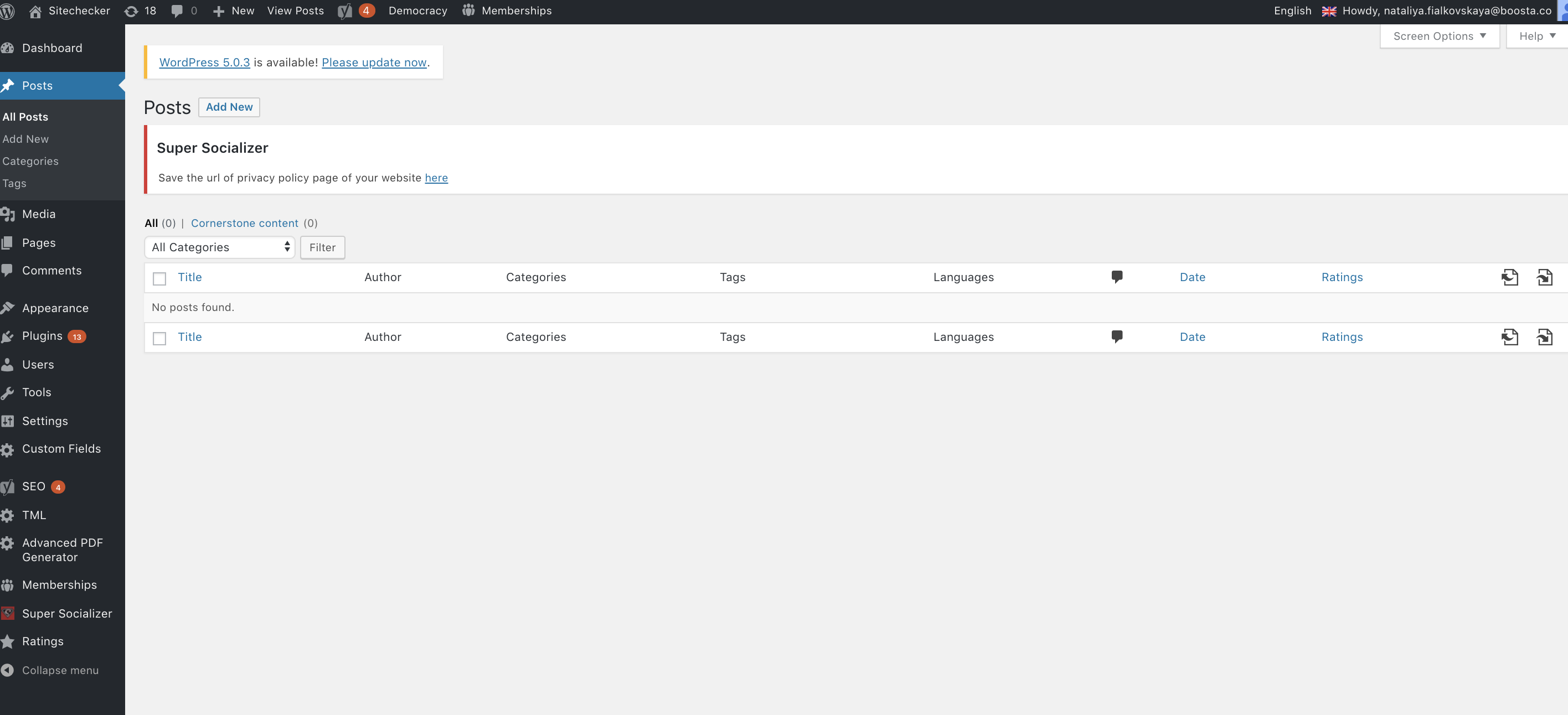
A CMS is basically made up of 2 central parts, one is a content management application (CMA), and another is the content delivery application (CDA).
These two parts work collaboratively to deal with all kinds of code, database queries, and the back-end infrastructure. So you can pay full attention to the front-end part of the Website.
Here, you don’t have to work directly with HTML, CSS, and Javascript. Instead, just open up the content editor and thus do the editing based on your requirements.
Such as, you can easily insert any images and tables just by dragging and dropping some modules or by just clicking on a few buttons as needed.
You can also add text, links, CTAs, and even bold the text just by following some instructions. In other words, you don’t have to write anything in HTML, CSS, and JavaScript.
For making any other changes on your Website, such as changing the permalink structure or doing any extensions installations, just navigate it to the appropriate parts of the admin panel.
This part is the CMA (content management application). Their job is to hide all the codes made in the intuitive interface from the end-user
Once you are done making the modifications, the job of CDA (content delivery application) will begin. They will take the content that you have entered into the CMA, assemble the codes, and then will display it to the front-end visitors. And finally will store them.
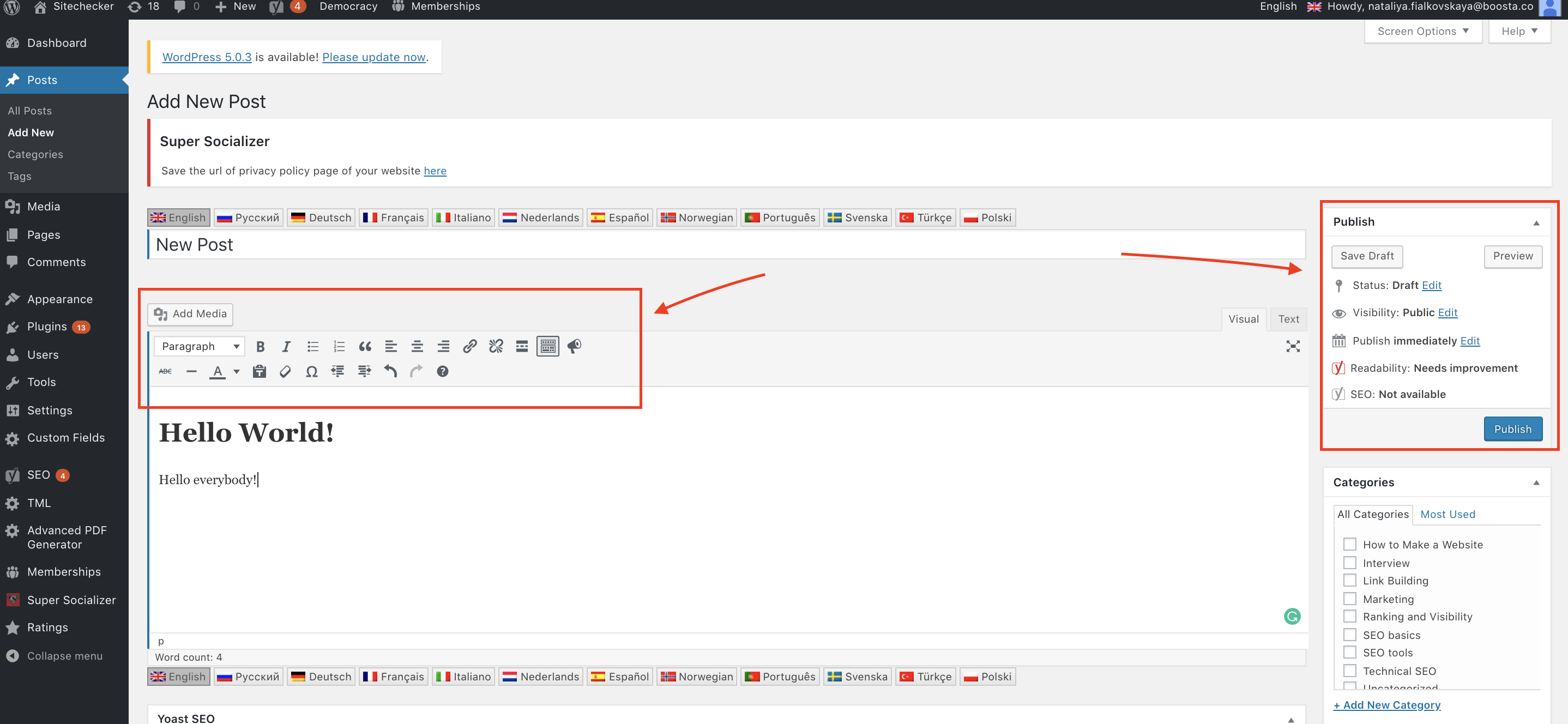
For instance, when you want to publish a new blog post, at that time, rather than manually uploading the page to the server, you have to just hit the publish button. That’s all!
Why should you use a CMS?
Using a Content management system (CMS) has its own perks. We have already mentioned some of them.
However, let’s know about all the benefits a CMS has to offer and how this app can affect your business:
No coding knowledge needed
Anyone with zero percent knowledge in coding can use this app to build their websites. Once thinking about any such thing was a dream.
However, with the help of this system, you no longer have to rely on the web developer and designer for making your Website or strengthening your business’s online presence.
Starting from creating to managing content, customizing the design, and installing the extensions to add any functionality – you can do all of these things without doing any sort of coding.
Hence, it needs worth saying that the cms have certainly revolutionized the entire web design.
Easy collaboration
With the help of the CMS, you can easily collaborate several users’ accessibilities and work simultaneously in the back end part.
For instance, your marketers are developing content, IT experts are implementing the security protocols, and the developers are adding the custom code to your theme – all working on the same landing page.
CMS can play a significant role in improving the workflows and productivity among all your team members, ultimately benefiting your business. In fact, if any business makes the proper use of the CMS, then no one will be able to stop them from scaling up their business.
User roles and permissions
This system lets you collaborate and manage things in the most effective and safest way possible. All credit goes to its integrated and customizable user roles and permissions.
Such as, the content writers will have all kinds of accessibility and permissions they require for writing, publishing, and managing their content. But they will not be able to delete the plugins or make any significate changes that can affect the Website’s functionality in any way.
SEO features and extensions
The CMS platform has a lot of integrated featured and add-ons to help you optimize your Website for the search engine.
Have a look at the below things you can do using these integrated or third-party tools:
- Customization of the page title and meta description
- Selecting the SEO-friendly URL structures
- Creating the XML sitemaps
- Adding any images alt text
- Developing the 301 redirects
- Breadcrumb navigations
- Optimization of the page loading times
Implementation of any of these practices will surely help you to improve your google ranking along with several other major search engines.
Security features and extensions
CMS comes with a lot of built-in and add-ons features for securing your Website. In fact, some even tend to offer a dedicated security team for tightening the security system. Such as, they can provide a 24/7 team directly employed at your service, an enterprise-class web application firewall, custom CDN, SSL (Secure Sockets Layer),
Predesigned templates
Most of the CMS platforms come with a wide range of predesigned templates. As a result, designing and changing the appearance of your Website becomes super easy and faster.
And we all know how the layout of a website can greatly affect the site.
Such as selecting a responsive template for your Website will definitely change the outlook of your Website on any kind of device – without having to write tons of codes. It will not only save your time but, at the same time, will make the redesigning process much faster and simpler.
Simple updates
Right from doing any significant changes, like sites redesign, to doing minor updates, such as altering the picture of your home page, you can do things smoothly and quickly. All credit goes to the CMS, which has certainly made things much easier and more convenient.
Hence, instead of going for a freelance developer or making an attempt to edit the code by yourself, just go to the CMS dashboard and, thus, based on your need, do the edit of your site’s content.
After all, doing these simple updates from time to time makes your content more dynamic and relevant.
Blogs functionality
Blogging is one of the most powerful things that can do wonders for one’s business. From increasing the traffic rate to converting the traffic into leads, generating backlinks, and achieving various other long-term results – they can change everything.
Kernelly, building a blog that too from the scratch level is extremely difficult, even for the experienced ones. However, using the CMS, you can quite conveniently do everything without stressing out much.
Content scheduling
It is extremely important for doing any kind of editorial tactics. For instance, while building a website from scratch, you can schedule this content using a combination of coding and various tools.
But with the CMS, this scheduling will become super easy. As you can do all things by just clicking the buttons. Apart from scheduling the contents, you can also do the schedule for the website pages, landing pages, and emails.
Accessibility
With this platform, you can access and edit all things virtually on any device. Just need an internet connection.
Plus, most of the CMS systems come with a single dashboard or control panel via which you can easily access your Website’s content theme, plugins, settings, and various other things – all in one location!
4 types of CMS
There are 4 main types of Content Management System, including:
Simple CMS
The job of this system is to create simple sites containing multiple pages using the simple control systems. They are completely free of cost and are easily available on the internet.
The drawback of this system includes the following inability to do any kind of modifications in the settings, not being able to create pages dynamically, low transmission capacity, etc.
Template CMS
This one basically consists of modules. However, the structure is a bit complicated compared to the simple CMS.
They have a high transmission capacity of about 50,000 inquiries, with supporting the dynamic pages. Most of these systems can also be used to create website content as they are super easy to use.
Professional CMS
Professional CMS comes with a lot of higher complexities. Right from changing the internet resources structure to attaching several modules or creating various information portals/ big-range projects – you can do all. But to avail of all these facilities, you have to pay for them as they are the paid version!
Universal CMS
They come with a wide range of functionalities and opportunities in creating any website. Starting from supporting the functionalities of changing the structure to making any changes in the settings or creating the dynamic pages – this kind of CMS is used for dealing with the large portals and web projects that need high functionalities and dynamics.
CMS Platforms Examples
To better understand what CMS is, you must have a good grasp of the most popular sites – helping in the entire process of creating and managing the site’s content.
Besides, knowing about them will help you to discover which platform will be the best one for your site’s success.
Without further ado, let’s dive into it:
1. CMS Hub
It is an all-in-one connected platform with the help of which you can create personalized content for the visitors, templates, styles, redesign, relaunch the web pages, and many more things.
Perfect For: This platform is ideal for any range of businesses with a diversified team full of marketers, developers, IT professionals, etc.
2. WordPress
WordPress is a self-hosted platform. You can easily build a WordPress site and even customize it – using hundreds of plugins and themes available right in the official directory or any other third-party sites.
Perfect For: Small companies and freelancers
3. Joomla
As like the WordPress, Joomla is also an open-source CMS that comes with integrated multilingual support, advanced users, and content management options – making it ideal for membership or any other social networking websites usages. For instance, UIDAI.
Perfect For: Global companies
4. Drupal
Drupal is a highly flexible CMS that offers you the complete flexibility to select among 47,000 modules available in its directory and themes repository to create your own complex site.
Perfect For: Corporations and government agencies
5. Magento
Super flexible, Secure, tons of built-in functionality and extensions – Magento is a self-hosted version of the Drupal but of the ecommerce world. With this platform, you can manage several stores, do transactions in different countries and languages – all in one dashboard.
Perfect For: Ecommerce businesses
6. Webflow
Webflow is a visual CMS – designed to fill the market gap for web designers. As a result, using this handy platform, they can create and customize the websites without worrying about any hosting, privacy, or performance. A dream come true for web designers!
Perfect For: Web designers and the agencies
7. Ghost
Ghost is a simpler and lightweight CMS – purely dedicated to blogging. It lets you create and handle the content to any channels you wish to, ranging from smartwatches to virtual headsets. They are extremely easy to create and manage. Anyone can use it!
Perfect For: Bloggers
8. Sitecore
It is an enterprise-level headless CMS which lets you create and deliver personalized sites, emails, and social media posts across numerous channels, like web, social, voice, sale points, etc.
Perfect For: Enterprise corporations
How to select the right CMS for your Website? [10 Tips]
Picking the right CMS is certainly a tough call, especially when there are dozens of options to choose from. We need to be pretty decisive while choosing it.
After all, our entire business and IT sectors will directly depend on it, and a wrong choice can haunt us for several years to go.
That’s why it is more than necessary that you don’t make any mistakes in choosing the right CMS.
Here’s how to make the right decision:
1. Don’t Create In-House CMS
Avoid making the mistake of thinking that your team can build a customized CMS using the open-source. Well, they can certainly build it.
But point to note, they don’t have any sort of experience working with it. As a result, they will also have no idea of how to deal with all the complexities that come with a CMS. And not to mention, the rate of custom builds is a total fail, as the past records say.
2. Avoid Total Developer Dependence
It is a total disaster for any business that will follow it. After all, your development speed could not in any way dictate your company’s every move.
Hence, make sure to pick a content management solution that will let your team to focus on applying different campaigns and strategies. Rather than investing time in managing the technology.
3. Scalable CMS
Any kind of updation or modification is a must for any kind of developing business. Therefore, make sure to pick a solution that will help to grow and scale up quickly and effectively as required.
4. Must Support Omnichannel
If your company is currently limited to desktop or mobile sites, now is the time to consider other channels also. Otherwise, your business will be affected in the long run. So, always try to choose a solution that is capable of supporting any new channels when you need them.
5. Never Limit Your System To Only One Code
If you don’t have an adequate number of programmers, then certainly your CMS will fail, regardless of how awesome it is. Always go for a system that lets the developer utilize their proper strength and coding in their preferred programming language.
6. Team Support Is Everything
If you have a good system but don’t have a good platform team to help you whenever you need it the most, it will ultimately be a disaster for everyone.
So, try to find a CMS that lets the developers work without any disruption in their content creation and management. This simple hack is sure to save you both time and money.
7. Testing
Before rolling out the CMS for your Website, make sure to test the system properly. At first, implement a part of the site and then get your team members and users to do a thorough checkup to establish a workflow procedure.
Besides, doing this test mitigates a lot of issues – saving you tons of time and money!
8. UI Intuitive
Having a user-friendly interface is more than necessary if you have a team that deals with it every then and now.
They will need a solution that must be easy to use and log back in. after all, who will like to work with complicated things when you can have a simple way to work.
9. Has Apis And Supports Integrations
Any form of marketing demands such a solution which can easily integrate with different kinds of automation tools, business intelligence, Google Analytics, etc., for delivering personalized content. So, pick a solution with a strong API that lets you connect easily with the 3rd party tools.
10. Organize Properly
Plan and organize things accordingly. Otherwise, you are sure to fail without a proper balance of these 2 things. Hence, bring all of your stakeholders into a room and then collect all their requirements and input to meet all the goals.
To Conclude
CMS is a useful tool, especially for creating website content. Anyone with zero knowledge of coding can easily learn how to create their own sites using this tool. A dream come true indeed for non-programmers.
In fact, if you can properly choose and use the right CMS, then there is no turning back from becoming successful. Choose wisely!
Ruth Carol is a professional SEO expert providing services concerning to search engine optimization process. She has 10 years long experience with vast knowledge in the field of modern search engine optimization process and is continuing. Her educational background, along with her working experience in this field, enables her to gain ample knowledge in this subject area. She was an active volunteer in google serve program and a regular blog writer subjecting SEO optimization process and special tips. Follow her blogs on seoviser. Besides, she is an active member of the Chang Mei International SEO Conference. Furthermore, she is the founder of SEO Viser, which is an SEO agency providing SEO solutions all over the world. She aims to help companies ranging from small to big to develop a long-lasting solution to rank their site. Apart from that, she provides consultancy services related to search engine optimization and contributing to social media and online platforms like Fiverr, Upwork, etc. To know more about her services and anyone can visit seoviser or simply email her through her website. She is a great mind and loves to share knowledge. Contact her at seoviser.
OUR SERVICES


Request a free quote
We offer professional SEO services that help websites increase their organic search score drastically in order to compete for the highest rankings even when it comes to highly competitive keywords.
More from our blog
See all posts